
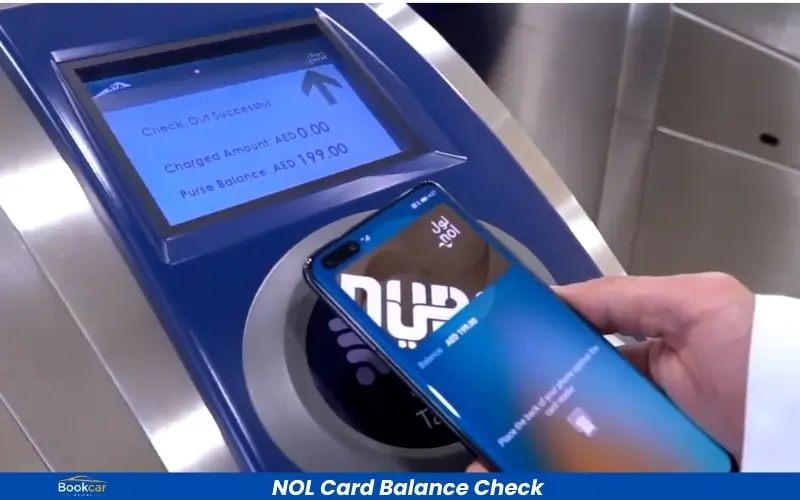

Keep track of the balance on your NOL card if you use Dubai’s public transport system. The NOL card is used to pay for the Dubai Metro, buses and trams, as well as parking. Regularly checking the NOL card balance check will help you to avoid any issues with insufficient balance while traveling.
This guide will show you how to quickly recharge your NOL Card and check the balance of your card online.
What is the NOL card?
The Roads and Transport Authority of Dubai (RTA) issues a NOL smart card. Residents and tourists can pay for public transport services in Dubai by simply tapping the card.
Different types of NOL cards
- Silver NOL Card
- Gold NOL Card
- Blue (Personal NOL Card)
- Red Ticket
Each card has different benefits and features depending on the travel requirements.
Check the balance of your NOL card online
It is easy to check your card’s balance online.
Method 2: Check the NOL balance through the official RTA website
- Visit the official RTA Website
- Navigate to the NOL Card Services page.
- Enter the NOL card ID.
- Click on the “Search” Button.
- You will see your current balance as well as card details.
Method 2 – Check balance through RTA Dubai app
RTA Dubai also has a mobile app.
- Download the RTA App.
- Log in or continue to use the site as a visitor.
- Select NOL Services
- Enter your card details.
- Instantly view your balance.
Method 3: Checking Balance at Metro Stations
Check your balance by visiting:
- Metro ticket vending machines
- Bus station kiosks
- RTA customer service centers
How to recharge NOL Card online
You can recharge your card without having to visit a station when your balance is low.
How to recharge NOL Card
- Visit the RTA Website
- Click on the NOL card Recharge link.
- Enter your NOL Card Number
- Choose the amount to recharge.
- Use your preferred method of payment to complete the payment.
- Activate your recharge at the metro gate, parking meters, or card readers.
Benefits of Online Recharge for NOL Cards
- Saving time
- Available 24/7
- Secure online payment
- Avoids long queues
- Instant recharge requests
Limits on NOL Card Recharges
The maximum and minimum recharge amounts can vary depending on the type of card you use. Check the limits for your card type before recharging.
Common Issues During NOL Card Balance Check
Balance not updating
Your balance will not update after a recharge.
- Wait a few minutes.
- Tap your card on a reader or gate for the metro.
- RTA’s website is a good place to check again.
Incorrect card number
To avoid mistakes, enter the correct number of your NOL card.
Conclusion
Checking the balance of your NOL card is a quick way to ensure that you have a smooth trip throughout Dubai. It is essential to keep your NOL funded, whether you are using the metro, buses, trams, or water transportation. RTA digital services allow you to check your NOL card balance and recharge it in minutes.
Frequently asked questions
How can I check the balance of my NOL card online?
You can check the balance of your NOL card online via RTA’s website or mobile application.
How much time does it take to recharge a NOL Card?
Online recharge requests can be processed quickly. However, activation of the card may require that you tap it on an RTA device.
Does checking the balance of a NOL card cost money?
The balance check is usually free.
Can tourists use NOL cards?
Tourists can use the NOL card to travel on public transport in Dubai.
Read Also: RPay Balance Enquiry